How to Sync Stock Across Multiple Sales Channels

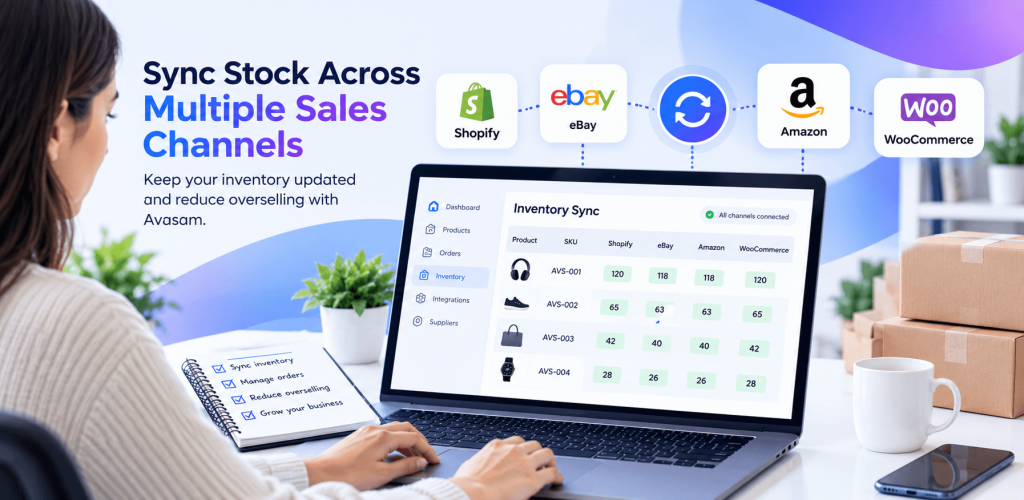
Selling on more than one online channel can help you reach more customers, but it also makes inventory management more complicated. If a product sells on one marketplace while another listing still shows stock, you may receive an order you cannot fulfil.
Learning how to sync stock across multiple sales channels helps you keep product availability more consistent, reduce manual updates and manage orders with greater confidence. The right process combines accurate product mapping, reliable inventory updates and regular checks of your live listings.
If you are still choosing where to source products, start with our guide to UK dropshipping suppliers. If you are new to the business model, our guide on how to start dropshipping in the UK explains the basics.
What does stock synchronization mean?
Stock synchronization is the process of updating product availability between your inventory source and the sales channels where you list products. Depending on your setup, this may include your supplier, inventory management platform and online stores or marketplaces.
Stock problems can also happen when suppliers run out of products after customers have placed orders. Read our guide on how to handle dropshipping supplier stockouts to learn how to respond and manage customer expectations.
For example, if the last available unit sells on one channel, a connected inventory system can update the mapped listings on other channels. The exact result depends on the integrations, settings, product mapping and timing of stock updates.
Why does stock become inconsistent across sales channels?
- Manual updates: Stock is changed on one channel but not the others.
- Incorrect SKU mapping: A listing is linked to the wrong product or variant.
- Delayed updates: A sale or supplier stock change is not reflected immediately everywhere.
- Duplicate listings: The same product appears in listings that are not all mapped correctly.
- Variant errors: Different sizes, colours or models share an incorrect stock reference.
- Integration settings: Stock updates are disabled, a connection needs reauthorizing, or an error prevents an update.
How to sync stock across multiple sales channels: 7 practical steps
1. Choose a clear source of inventory truth
Decide which system provides the authoritative available stock figure. In a dropshipping workflow, this may be supplier inventory data passed through your dropshipping or order management platform. Avoid maintaining separate, conflicting stock figures in spreadsheets and individual marketplaces.
Document which system controls stock, which systems receive updates and who is responsible for investigating discrepancies.
2. Connect each sales channel correctly
Connect the stores and marketplaces you actually sell on, and review the settings for each integration. Confirm that the connection is active and stock updates are enabled where the integration supports them.
Avasam supports integrations with channels including Shopify, eBay and Amazon. See the Avasam integrations overview for available options. Check each integration’s current setup guidance before changing settings.
3. Map SKUs and product variants accurately
SKU mapping links a product in your inventory system to the corresponding listing on a sales channel. Check that each listing points to the correct SKU and that each variant-such as size, colour or model-maps to the correct inventory item.
Pay particular attention after bulk imports, duplicate listing creation or supplier SKU changes. Test a small group of products first and confirm that stock updates reach the intended listings.
4. Enable and verify stock updates
Review stock-update settings in each channel integration. Do not assume that connecting a store automatically means every listing is being updated. Confirm that products are mapped, the relevant update option is enabled, and the integration is not reporting errors.
For Avasam, the Shopify integration guide describes its stock-update option, while the Amazon integration guide explains stock updates and stock thresholds. If a guide URL has changed, use the current link from Avasam’s help centre.
5. Check update timing and integration status
Stock changes do not necessarily appear on every channel at exactly the same moment. Understand the update frequency of your systems and check the latest stock-sync status or timestamp where available.
Avasam supports inventory synchronization across integrated sales channels, with stock updates described as occurring every 30 minutes. The exact behaviour may depend on the integration and configuration. Even with frequent updates, supplier stock can change between updates, so accurate product mapping and regular stock checks remain important.
See the Avasam FAQs for further information.
6. Use a safety buffer where your workflow supports it
If a popular product has limited stock, consider whether your system supports a stock threshold or safety buffer. This can reduce the quantity made available for sale and lower the risk of accepting more orders than can be fulfilled.
Choose thresholds based on supplier reliability, sales velocity and your operational needs. Verify the available options in your platform and channel settings.
7. Monitor exceptions and reconcile listings regularly
Build a short daily or weekly check into your routine, depending on sales volume. Review listings with sync errors, products with unexpected quantities, unmapped SKUs and items that remain available after the supplier reports zero stock.
When you find a discrepancy, correct the mapping or integration setting first, then verify the resulting stock on the live channel. Record recurring issues so you can identify patterns and prevent them from happening again.
Simplify Multi-Channel Stock Management with Avasam
Managing product availability across several stores and marketplaces can become time-consuming. Avasam connects dropshipping sellers with suppliers and supported e-commerce integrations, helping coordinate product availability and order workflows.
Explore the available integrations to see how Avasam could support your multi-channel selling workflow.
Stock synchronization checklist
- Identify the system that provides the source stock quantity.
- Confirm each sales channel connection is active.
- Check that stock updates are enabled where supported.
- Verify SKU, product and variant mapping.
- Review the latest sync status and reported errors.
- Consider a suitable stock threshold for fast-selling or limited-stock products.
- Check important listings on the live sales channels.
- Record recurring discrepancies and assign an owner to resolve them.
How can Avasam help with stock synchronization?
Avasam connects dropshipping sellers with suppliers and supported e-commerce channels, helping coordinate product availability and order workflows. Inventory synchronization can help update mapped listings across connected channels, although the exact frequency depends on the relevant integration and configuration.
Explore the Avasam integrations, browse UK dropshipping suppliers, or review the Avasam plans to see which option fits your business.
Frequently asked questions
How do I sync stock across multiple sales channels?
Use an inventory or order management system that supports your channels, connect each channel, map products and variants accurately, enable stock updates and monitor sync status. Test a few listings before relying on the workflow for your full catalogue.
Can stock synchronization prevent every oversell?
No. It can reduce overselling, but stock may change between updates, and mapping errors or integration problems can prevent the correct quantity from reaching a listing. Regular checks and a suitable stock buffer can help reduce the risk further.
Why is my stock not updating on Shopify or eBay?
Common causes include disabled stock updates, incorrect SKU mapping, an inactive or unauthorized connection, product variant errors or a failed sync. Check the integration status and listing, then follow the platform’s troubleshooting guidance.
Should every sales channel show the same stock quantity?
Not always. Some workflows use stock thresholds, reserve quantities or channel-specific allocation. Each channel should show an intentional, supportable quantity that does not exceed the stock you can fulfil.
How often should inventory be synchronized?
The appropriate frequency depends on sales volume, supplier updates and your inventory system. Faster updates reduce the time listings show outdated quantities, but they don’t eliminate all risk. Check the documented frequency and monitor the last successful sync.
Final thoughts
Managing inventory across multiple sales channels requires more than connecting your accounts. Accurate SKU mapping, enabled stock updates, clear ownership and regular exception checks all contribute to a more reliable process. Start with a small set of products, verify that stock changes reach the right listings, and expand once the workflow works as expected.

DropShip products from verified suppliers to diversify your inventory and scale your eCommerce business