How to Handle Supplier Stockouts After a Customer Places an Order

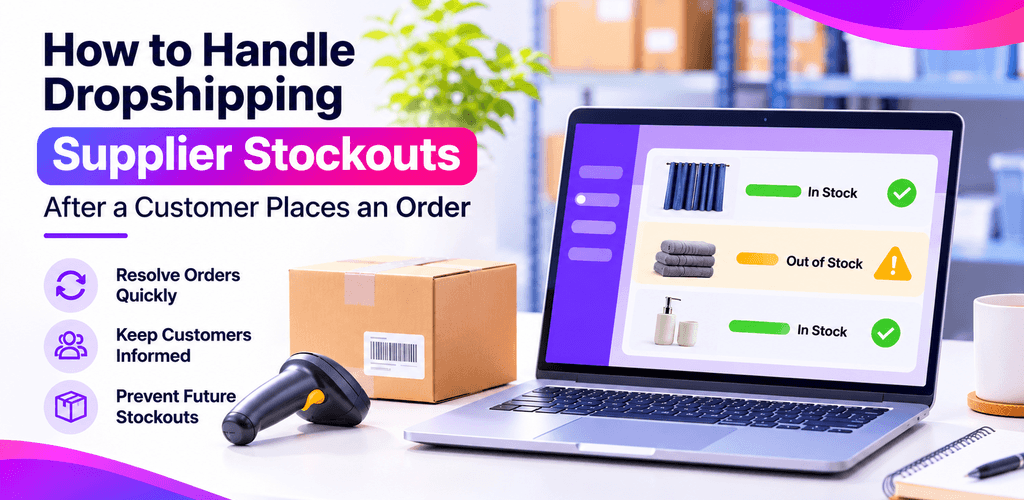
A customer placed an order, but your dropshipping supplier is out of stock. For an online seller, this can quickly become a customer-service issue: the order may be delayed, you may need an alternative, or the customer may prefer a refund. It can also affect your marketplace performance if stock availability is not updated promptly.
If you are wondering what to do when a dropshipping supplier is out of stock, the priority is to act quickly, confirm the facts and keep the customer informed. You may not be able to prevent every stockout, but a clear process can help you reduce confusion, manage expectations and lower the chance of the same issue happening again.
Choosing reliable suppliers is the first line of defence. See our guide to UK dropshipping suppliers for how to vet stock accuracy and dispatch times before you list a product, or, if you are just starting, our guide on how to start dropshipping in the UK.
What should you do when a dropshipping supplier is out of stock?
First, confirm the product and order status with the supplier. Then check whether a suitable alternative or a realistic restock date is available. Contact the customer with accurate options, update the listing or inventory settings, and record the cause so you can improve your process.
1. Confirm the stock position and order status
Before making a promise to the customer, check the supplier’s latest stock information and ask whether the item is temporarily unavailable or discontinued. Confirm whether the order has been accepted, picked, packed or dispatched. If tracking has already been issued, verify it rather than assuming the order is still waiting to be fulfilled. If your orders are routed through a platform such as Avasam, the order processing view shows the supplier-side status without needing to email them.
Keep a record of the supplier response, the time you checked availability and any revised dispatch estimate. This makes it easier to explain the situation consistently if the customer contacts you again.
2. Check whether a suitable alternative is available
If the original product is unavailable, ask the supplier whether the same item is available from another warehouse or whether a genuinely comparable alternative can be offered. Compare important details such as size, colour, model, specification, compatibility, price and delivery estimate.
Do not substitute a different product without the customer’s agreement. If the alternative does not meet the customer’s needs, offer the next appropriate option in line with your store policy and applicable consumer rules.
3. Contact the customer promptly and clearly
Tell the customer what has happened, what you are checking and when you will update them. Avoid vague promises such as “it will arrive soon” unless you have reliable information to support that estimate. Give clear options where possible, such as waiting for a confirmed restock date, choosing an agreed alternative or receiving a refund where appropriate.
Example customer message
Hello [Customer Name],
We’re sorry, but our supplier has informed us that [Product Name] is currently unavailable. We’re checking whether a confirmed restock date or a suitable alternative is available.
We’ll update you by with the available options. If we can’t fulfil your order as agreed, we’ll explain the next steps, including the refund options available to you.
Thank you for your patience,
[Store Name]
4. Follow your store policy and UK consumer obligations
A supplier stockout does not remove your responsibilities to the customer. Check the delivery commitment, your published terms and the rules that apply to the sale. Do not treat a supplier delay as an automatic reason to extend the delivery date without agreement. If you cannot fulfil the order, explain the options clearly and handle any cancellation or refund promptly in line with your obligations.
Consumer rights can depend on the circumstances and the type of product. For legal or compliance questions, check current official UK guidance or seek qualified advice rather than relying on a general blog article.
5. Update the product listing and stock availability
Once you know the product is unavailable, review the live listing across every connected sales channel. If the item should not be sold, update the quantity, pause the listing or mark it as out of stock as appropriate for that channel. Also check whether product variants, duplicate SKUs or unmapped listings could leave another version available for purchase by mistake.
If you sell on more than one marketplace or webstore, confirm the inventory change has actually reached each channel – do not assume it has until you have seen the listing status. This is where most repeat oversells happen: the Amazon listing is paused but the eBay listing is still live.
6. Record the cause and prevent repeat stockouts
After resolving the immediate order, identify why the stockout happened. Common causes include:
- The supplier sold through stock before the next inventory update.
- The product or variant was mapped to the wrong SKU.
- A listing remained active on one channel after stock was exhausted.
- Several sales channels sold the same remaining units before the inventory update reached them.
- The supplier discontinued the product or changed its replenishment plan.
Use the cause to decide what to change: review SKU mapping, check stock updates, set a sensible safety buffer where your workflow supports it, remove discontinued products and agree how suppliers will communicate stock issues. Review recurring stockouts by product and supplier so you can identify patterns instead of treating every case as a one-off.
Stop finding out about stockouts from your customers. Avasam syncs supplier stock to your channels every 30 minutes. Create a free account
How does inventory synchronization reduce overselling?
When the same product is listed across several sales channels, inventory synchronization helps keep the available quantity consistent between your supplier, selling platform and connected listings. It can reduce the risk of selling units that are no longer available, but it cannot guarantee that stockouts will never happen. Supplier stock can change between updates, and correct product mapping and channel setup remain important.
Before publishing, confirm Avasam’s current inventory update interval and exact behaviour against its latest product documentation. Describe the feature accurately and avoid implying that synchronization prevents every stockout.
A quick stockout response checklist
- Confirm current supplier stock and order status.
- Check whether a confirmed restock date or suitable alternative exists.
- Contact the customer promptly and provide realistic options.
- Handle any cancellation or refund in line with your obligations.
- Update the product listing and stock status on every relevant channel.
- Check SKU mapping, variants and inventory synchronisation.
- Record the cause and review repeat stockout patterns.
Frequently asked questions
What should I do if a dropshipping supplier is out of stock after a customer orders?
Confirm stock and order status with the supplier, check for a reliable restock date or agreed alternative, contact the customer promptly, and update the listing so further orders are not accepted incorrectly.
Can I send a different product if the original item is out of stock?
Do not send a substitute without the customer’s agreement. Explain the differences and delivery estimate, then let the customer decide whether the alternative is suitable.
How can I prevent overselling in a dropshipping store?
Keep product and variant mapping accurate, monitor stock updates, review active listings across connected channels, remove discontinued products and use inventory synchronization where available. No system can guarantee that every stockout will be prevented.
What if a supplier runs out of stock after an eBay sale?
Check the order and supplier status immediately, contact the buyer with accurate information, and resolve the order through eBay’s cancellation flow if you cannot fulfil it. Never mark an order as dispatched unless it has actually been dispatched – a false tracking upload counts against your seller standards. See our eBay dropshipping guide for how stock sync works on eBay.
Does inventory synchronization prevent every supplier stockout?
No. Synchronization can reduce the risk of overselling by updating connected listings, but supplier stock may change between updates. Correct mapping, timely supplier data and regular exception checks are still important.
Manage supplier stock and orders with a clearer workflow
Managing supplier availability manually across several sales channels can take time and leave room for errors. Avasam helps sellers source products from suppliers and manage parts of their order and inventory workflow across supported integrations. Review the current features and channel compatibility to see whether they fit your business.
Start free – no card required, or browse verified UK suppliers and view plans.
Final thoughts
A supplier stockout is frustrating, but a clear process can help you respond professionally and protect customer trust. Confirm the facts, communicate early, offer realistic options, update every affected listing and use each incident to improve your stock-control process. With accurate inventory data and a consistent response plan, you can reduce avoidable overselling and manage supplier issues more confidently.

DropShip products from verified suppliers to diversify your inventory and scale your eCommerce business